

Headless Print Manager
Quick label printing for companies
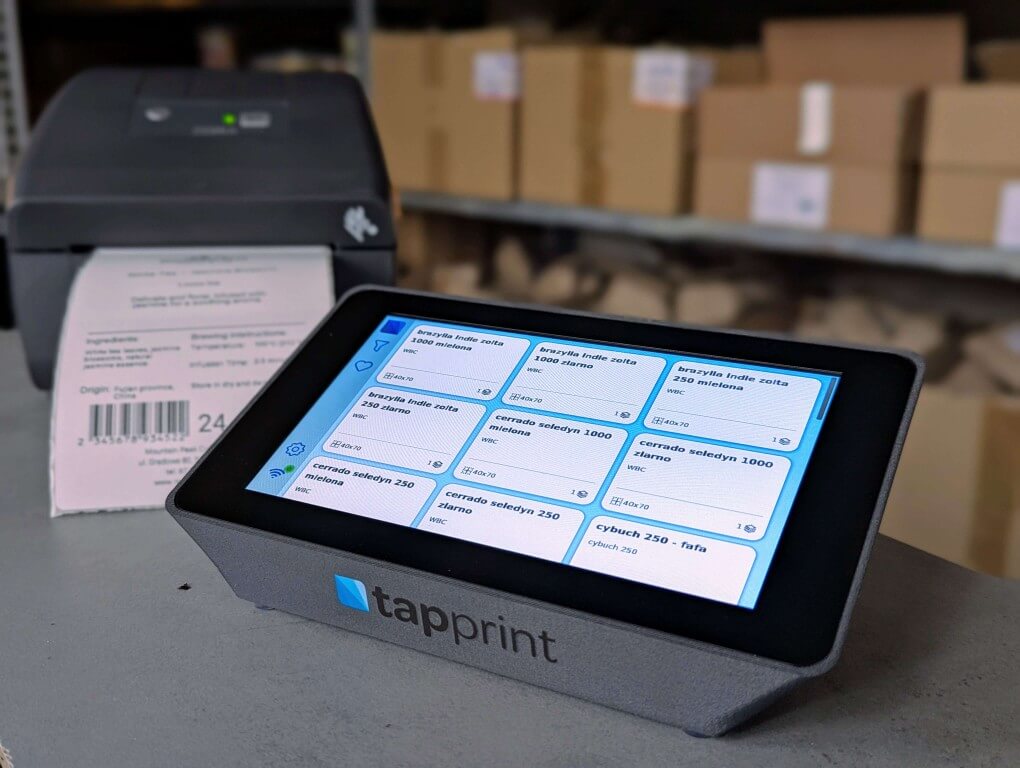
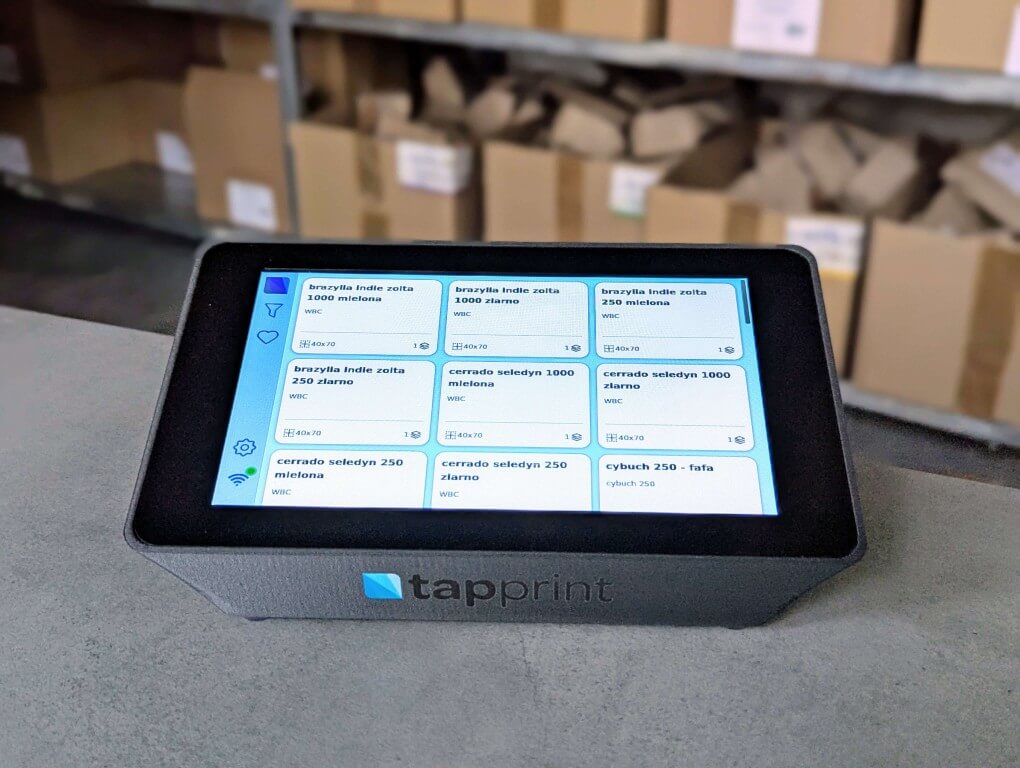
Tapprint is an innovative device that speeds up and simplifies label printing in production, minimizing errors and saving time. The easy-to-use touchscreen enables instant label selection and printing, without the need for additional personnel and computer programs.



Time Saving
Label printing takes too long?
Tapprint enables quick label printing without the need for additional office staff, significantly shortening the process.
Error Minimization
Wrong batch numbers or expiry dates on collective labels?
After device configuration, production workers can select labels and print quantities without the risk of errors that could result from manual data entry.
Employee Independence
Too many people involved in collective label printing?
In many companies, production often depends on the office, leading to delays and frustration. With Tapprint, production workers can work independently, without waiting for the office, streamlining the entire process.
Ease of Use
Lack of qualified workers?
The intuitive touchscreen means that even people without specialized skills can operate the device, reducing training costs.
For whom is Tapprint?

Small and Medium Manufacturing Companies
Lorem ipsum dolor sit amet, consectetur adipiscing elit. In convallis tortor.

Craft Food Manufacturers
Lorem ipsum dolor sit amet, consectetur adipiscing elit. In convallis tortor.

Coffee Roasters
Perfect solution for counter labels with roasting date or bean type

Importers
Importers in industries where label translation is needed

Packaging Facilities
Lorem ipsum dolor sit amet, consectetur adipiscing elit. In convallis tortor.

Electronics Manufacturers
Electronics require precise labels with serial numbers and QR codes integrating with production systems.


Step 1: Template Preparation
First, you create a label template - a graphic layout that defines the placement of elements such as text, graphics, barcodes, and company logo. This step is key to standardization - once designed, the template becomes the foundation for creating all future labels. This gives you complete control over the visual appearance of the label, ensuring consistency and compliance with industry requirements or regulations.
Additionally, the template can be customized for different label formats or specific product requirements, such as QR codes, batch numbers, or product compositions. This flexibility allows for quick implementation of new labels in the future without the need to redesign the layout.
Step 2: Data Sheet Completion
Next, we input data into the spreadsheet - each template can be linked to a database that automatically fills in the label fields. This is particularly useful when you need to create multiple different labels from the same layout but with different variables, such as product name, weight, or composition. This process saves time and reduces the risk of errors by eliminating the need to manually enter data for each label separately.
Through data mapping, you can generate dozens or even hundreds of labels in a short time, ensuring that each one contains the correct information. This solution works perfectly for companies that operate with a wide range of products or frequently change label specifications.
Step 3: Print Configuration
Lorem ipsum dolor sit amet, consectetur adipiscing elit. Ut ultricies lacus non fermentum ultrices. Fusce consectetur le.
Nam id eleifend dui, id iaculis purus. Etiam lobortis neque nec finibus sagittis. Nulla ligula nunc egestas ut.
Step 4: Printing
After completing all previous stages, the labels are ready to print and accessible directly from the touchscreen. Workers can immediately select the appropriate label and print it in the desired quantity, significantly reducing the time needed to complete this task. Operation is simple and requires no specialized knowledge, allowing production to be independent of office support.
Moreover, the ability to directly access labels eliminates downtime associated with waiting for prints from other departments. This means a faster production process, fewer errors, and consequently - greater efficiency and savings for the company.
Frequently Asked Questions
No, Tapprint is an advanced print manager that works with a wide range of printers from various manufacturers, including A4 printers as well as thermal and thermal transfer label printers. A printer must be purchased separately, allowing you to choose one that best suits your needs.
What our clients say:
Alice Stymaniuksztis
CRAFTBE

Since we implemented this solution in our production, work has been going more smoothly. We no longer need to run around offices to print labels - everything happens on-site. The system is intuitive, and labels are always correct. We save time, and errors have been practically eliminated. It was a great investment!
Wasyl Doug
COFFEE ROASTERY

Our artisanal roastery delivers the highest quality freshly roasted coffee, so labels need to be not only aesthetic but also accurate. Thanks to this device, we have full control over the process - we can print counter labels with expiry dates quickly and without problems. The touch operation means that even less experienced staff can handle it without issues.
Ania
Only Nature
We handle distribution and packaging of goods. Previously, printing labels took a lot of time and required constant interaction with the office. Thanks to this system, our workers can print labels themselves without needing to ask anyone for help. The whole process is simple, fast, and minimizes errors.
Maciej Basinski
Maslove
Every minute counts on the production line, and previous labeling was time-consuming and prone to mistakes. Now you just select the label on the touchscreen and you're done! Quick, error-free, and no need for office involvement. Employees are satisfied, and production runs much more smoothly.